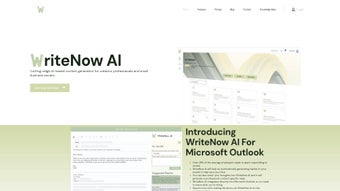

Download WriteNow AI – AI Writing Assistant, Free Trial, Secure Content Generator
Overview
WriteNow AI is a web‑based AI writing assistant that turns the often‑tedious task of content creation into a fast, reliable, and enjoyable process. Powered by OpenAI’s GPT‑3 engine, the platform delivers natural‑language output that feels human‑crafted, whether you need a persuasive email reply, a blog post outline, a Google ad copy, or a full SEO plan. The tool targets a wide audience—freelance writers, marketing teams, small‑business owners, and even students—by offering a simple interface that eliminates the steep learning curve associated with many AI solutions.
One of the standout capabilities is its Outlook‑specific email reply generator, which reads the context of incoming messages and drafts polished responses in seconds, dramatically improving productivity for professionals who spend hours in their inbox. Additionally, the business profiling module helps startups and small enterprises generate brand‑aligned copy without hiring a copywriter, while the library of more than 25 pre‑built templates guides users through every stage of the writing funnel. A generous free trial grants 5,000 words, allowing potential users to experience the quality of output before committing to a paid plan.
In short, WriteNow AI combines cutting‑edge language models with a user‑centric design, making it a valuable resource for anyone who wants to automate content creation while maintaining a professional tone.
Key Features & Functionality
- GPT‑3 Powered Generation: Leverages OpenAI’s industry‑leading language model for coherent, context‑aware text.
- Outlook Email Assistant: Generates contextual replies directly within Microsoft Outlook, saving time on daily correspondence.
- Business Profiling Engine: Creates custom brand messages, mission statements, and product descriptions tailored to startups and SMBs.
- 25+ Ready‑to‑Use Templates: Includes blog post outlines, essay structures, Google ad copy, SEO plans, social media captions, press releases, and more.
- Field‑Based Input System: Users fill simple fields (keywords, tone, audience) and the AI fills the rest, reducing writer’s block.
- Free Trial – 5,000 Words: Test the platform without risk; the trial includes access to all templates and the Outlook assistant.
- Multi‑Language Support: Generates content in English, Spanish, French, German, and other major languages.
- Version History & Export Options: Save drafts, track changes, and export to Word, PDF, or plain text.
- Secure Cloud Processing: All data is encrypted in transit and at rest, complying with GDPR and CCPA standards.
- Regular Updates: The development team rolls out new templates and AI improvements monthly.
Installation, Usage & Compatibility
Getting Started – No Download Required
WriteNow AI is a completely web‑based service, which means there is no traditional installation process. To begin, visit the official website, click the “Start Free Trial” button, and create an account using your email address or a single‑sign‑on (SSO) option such as Google or Microsoft. After confirming your email, you’ll be directed to the dashboard where the 5,000‑word trial credit is automatically applied.
Step‑by‑Step Workflow
- Select a Template: Choose from the library of 25+ templates based on your project (e.g., “Blog Post – SEO Optimized”).
- Fill the Prompt Fields: Enter key details such as target keyword, desired tone (formal, casual, persuasive), audience persona, and any specific points you want included.
- Generate Content: Click “Generate” and watch the AI produce a first draft within seconds. You can refine the output by clicking “Regenerate” or editing directly in the editor.
- Export or Integrate: Once satisfied, export the content to your preferred format or copy it directly into your CMS, email client, or marketing platform.
Outlook Integration
For users who rely heavily on Microsoft Outlook, WriteNow AI offers a browser extension that adds a “WriteNow AI Reply” button to the Outlook web interface. After installing the extension from the Chrome Web Store or Microsoft Edge Add‑ons store, you’ll be prompted to log in with your WriteNow AI credentials. When you open an email, the button reads the message’s context, and with a single click, it generates a polished reply that you can edit before sending. This integration works seamlessly with both the Outlook desktop client (via the web app) and the Outlook mobile app.
Compatibility
Because the platform runs entirely in the browser, it is compatible with any operating system that supports modern web standards: Windows 10/11, macOS Ventura and later, Linux distributions, as well as mobile OSes like Android 8+ and iOS 13+. The only requirement is a stable internet connection and a recent version of Chrome, Edge, Firefox, or Safari.
Pros & Cons
Advantages
- Fast, high‑quality content generation powered by GPT‑3.
- Dedicated Outlook email assistant that reduces inbox time.
- Extensive template library covers most common marketing and writing needs.
- Generous free trial with 5,000 words—enough for real‑world testing.
- Secure cloud infrastructure with GDPR and CCPA compliance.
- Multi‑language support expands usability across global teams.
- No software download; works on any device with a web browser.
Potential Drawbacks
- Reliance on internet connectivity; offline usage is not possible.
- Advanced customization (e.g., fine‑tuning the model) is not available for all plans.
- Subscription pricing may be higher than basic AI text generators for solo freelancers.
- While the Outlook add‑on is handy, it currently only supports the web version of Outlook.
- Content generated still benefits from human review to ensure brand voice consistency.
WriteNow AI impresses with its seamless integration into daily workflows, especially the Outlook email assistant. The variety of templates and the generous free trial make it a worthwhile investment for marketers and small business owners. While the price point is a consideration, the time saved on content creation justifies the cost for most professional users.
FAQ
How many words are included in the free trial?
The free trial provides 5,000 words, which can be used across any template or the Outlook email assistant.
Is WriteNow AI suitable for non‑English content?
Yes. WriteNow AI supports several major languages, including Spanish, French, German, and Italian, with comparable quality to the English output.
Can I integrate WriteNow AI with my CMS (WordPress, HubSpot, etc.)?
While there is no native plug‑in yet, you can copy the generated content from the web dashboard and paste it into any CMS. Export options include Word, PDF, and plain text for easy migration.
What security measures protect my data?
All data is encrypted using TLS 1.3 during transmission and AES‑256 at rest. WriteNow AI complies with GDPR and CCPA, and it does not store generated content longer than necessary for the session unless you explicitly save it.
Is there a discount for annual subscriptions or teams?
Yes. Users who choose an annual plan receive a 20 % discount compared to the month‑to‑month pricing. Team plans are also available with centralized billing and shared usage analytics.
Conclusion & Call to Action
In a landscape flooded with AI writing tools, WriteNow AI distinguishes itself through a blend of powerful GPT‑3 generation, a practical Outlook email assistant, and a comprehensive template library that addresses the real‑world needs of marketers, entrepreneurs, and professionals. The platform’s security focus, multi‑language capability, and generous free trial lower the barrier to entry, while regular updates ensure the tool stays ahead of evolving content trends. If you’re looking to accelerate content production, reduce writer’s block, and free up valuable time for strategic work, WriteNow AI is a solid investment. Start your free 5,000‑word trial today, experience the difference, and unlock a faster, more efficient writing workflow.



.png)



